Difference between Detailed and Summary reports
Compare detailed and summary financial reports
Elibrium provides two types of financial reports: Detailed and Summary.
Both reports include financial information for the selected period, but differ in the level of detail and report scope.
Detailed financial statement
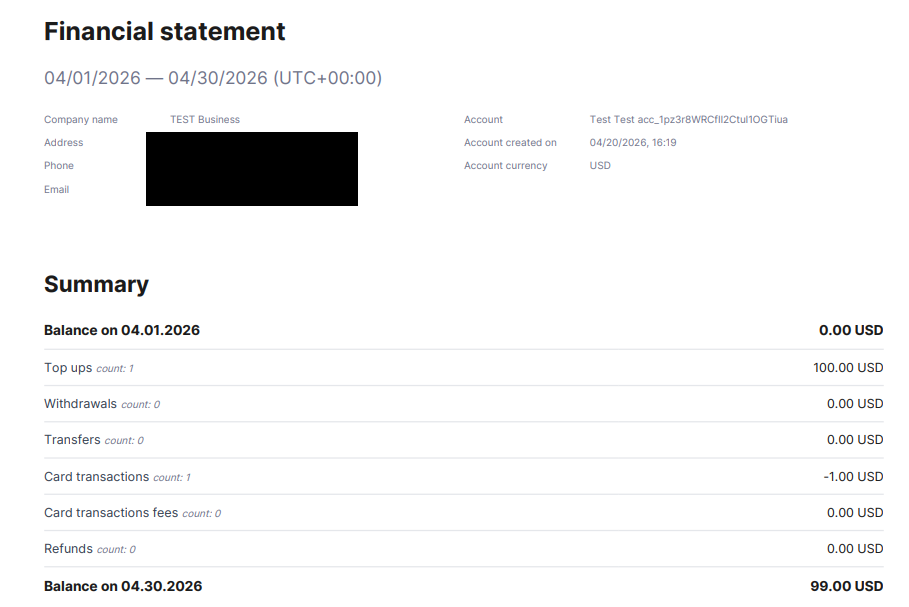
A Detailed report includes:
a full transaction list;
selected account information;
opening and closing balances;
payments, fees, refunds, transfers, and other operations.
Detailed reports are generated for one selected account and are useful for:
reconciliation;
auditing;
reviewing account activity;
transaction-level analysis.
The report is generated in PDF format.
Important note:
The report is based on completed transactions only.
Payments with the Pending status are not included.
Summary financial statement
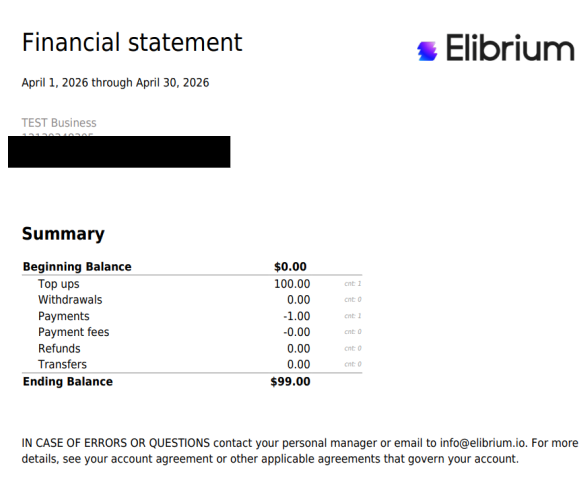
A Summary report contains aggregated financial figures without transaction-level details.
The report includes:
balances;
total payments;
top ups;
fees;
refunds;
transfers.
Summary reports provide a high-level overview of company finances across accounts.
Important note:
The report is generated for all company accounts.
Payments with the Pending status are included.
Which report should I choose?
Recommended report
Need transaction details | Detailed |
Need overall company totals | Summary |
Reconciliation and audit | Detailed |
High-level financial overview | Summary |