How to view fees in Balance History
Learn how to find fee-related operations in balance history.
Open the Accounts section.
Go to the Balance History tab.
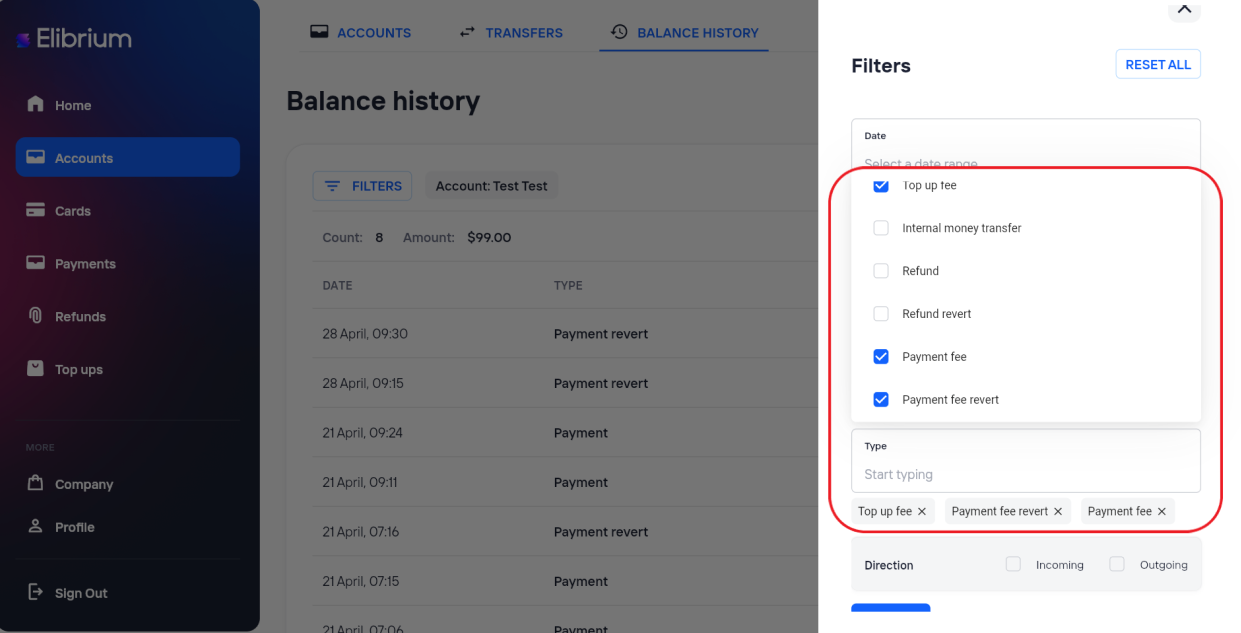
Click Filters.
In the Type field, select one or more of the following:
Top up fee — top up fee;
Payment fee — payment fee;
Payment fee revert — payment fee refund.
Click Apply.
After applying the filters, the table will display operations related to the selected fee types.