Notifications
Learn how to manage your notification preferences and choose which events you want to receive by email or Telegram.
How do I manage notification settings?
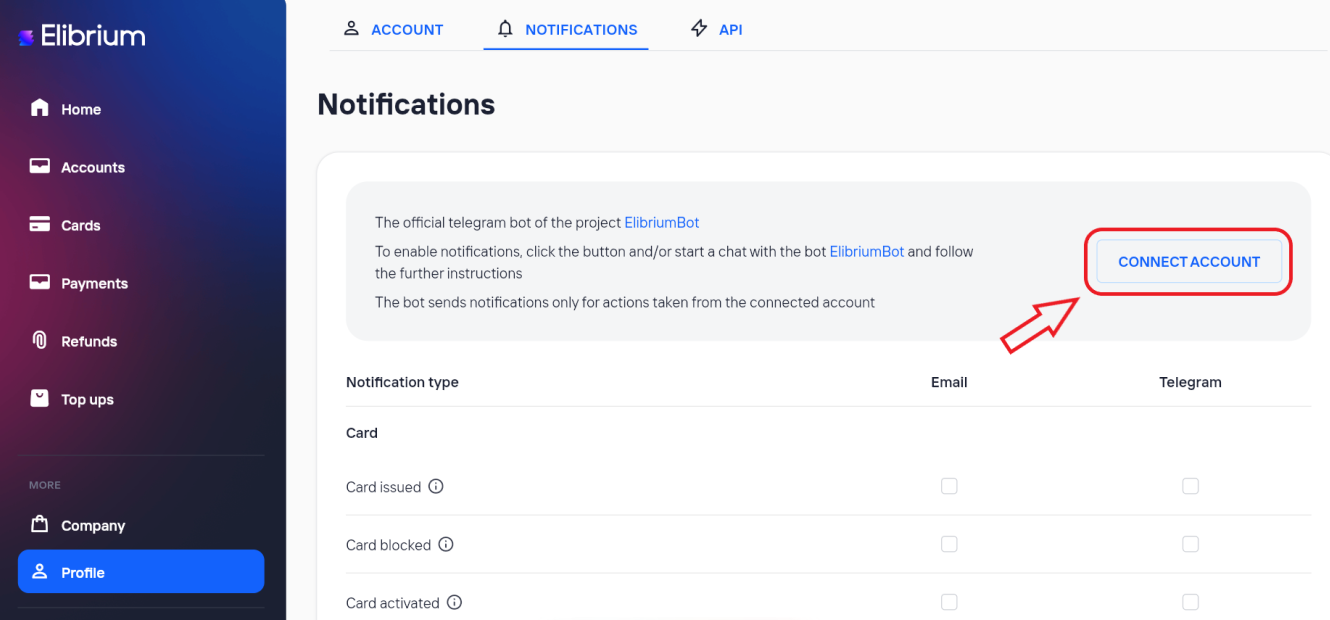
Open Profile.
Select Notifications.
(Optional) To receive Telegram notifications, click Connect Account, open the Elibrium Telegram bot, and follow the instructions to link your account.
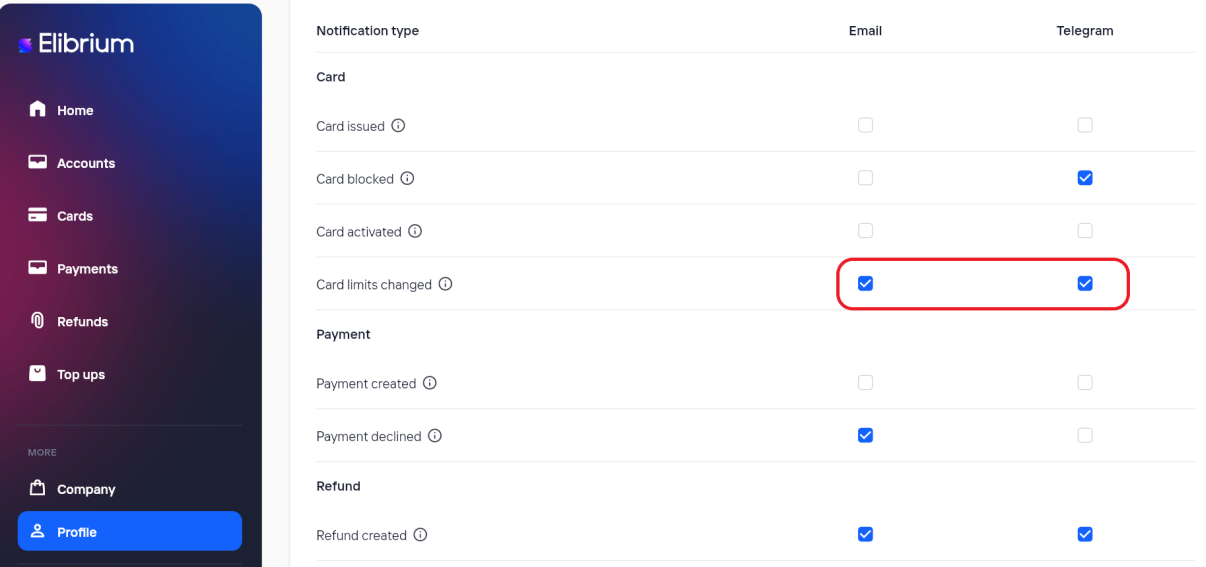
Enable or disable Email and Telegram notifications.
Click “Save”.
Important notes
Some system notifications, such as account verification, password reset, and onboarding updates, are always sent and cannot be disabled.
If your account is blocked, configurable notifications are not delivered.