How to create a transfer
Transfers in Elibrium are used to move funds between your company accounts inside the platform
How to create a transfer
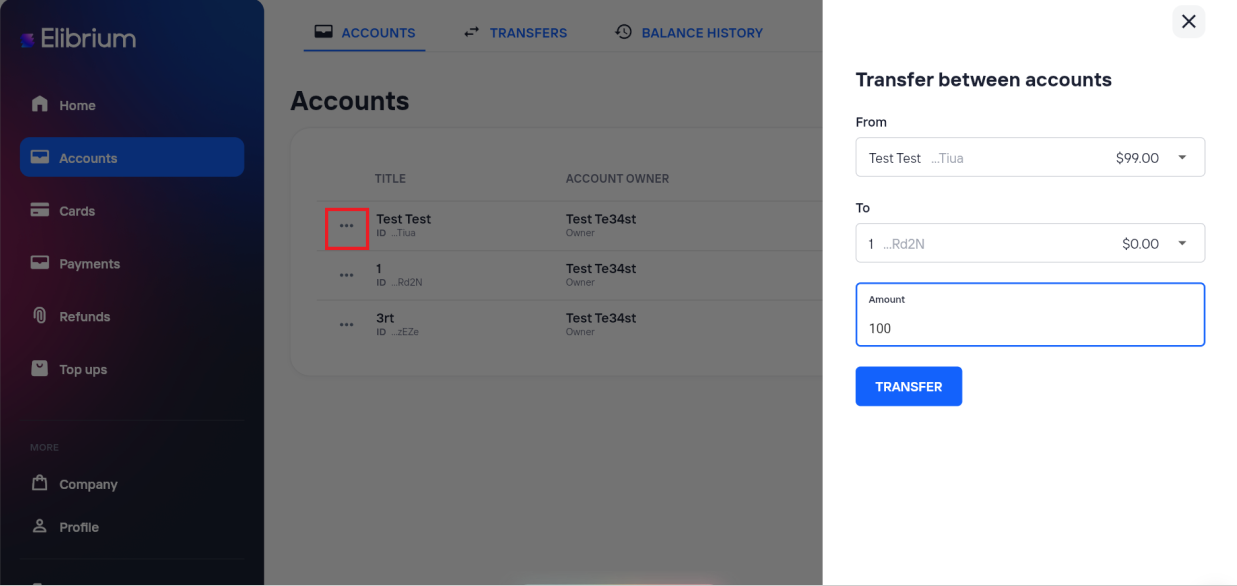
Open the Accounts section.
Find the account you want to transfer funds from.
Open the ⋯ menu in the account row.
Select Transfer between accounts.
Choose:
the source account;
the destination account;
the transfer amount.
Click Transfer.
After a successful transfer, balances are updated automatically.