Exporting transfers and balance history
Export data from the Transfers and Balance History tabs in the Accounts section
Supported export formats:
Excel;
CSV.
Exporting balance history
Open the Accounts section.
Go to the Balance History tab.
Apply filters if needed:
date;
account;
transaction ID;
amount;
transaction type;
direction.
Click Export.
Select:
Excel;
or CSV.
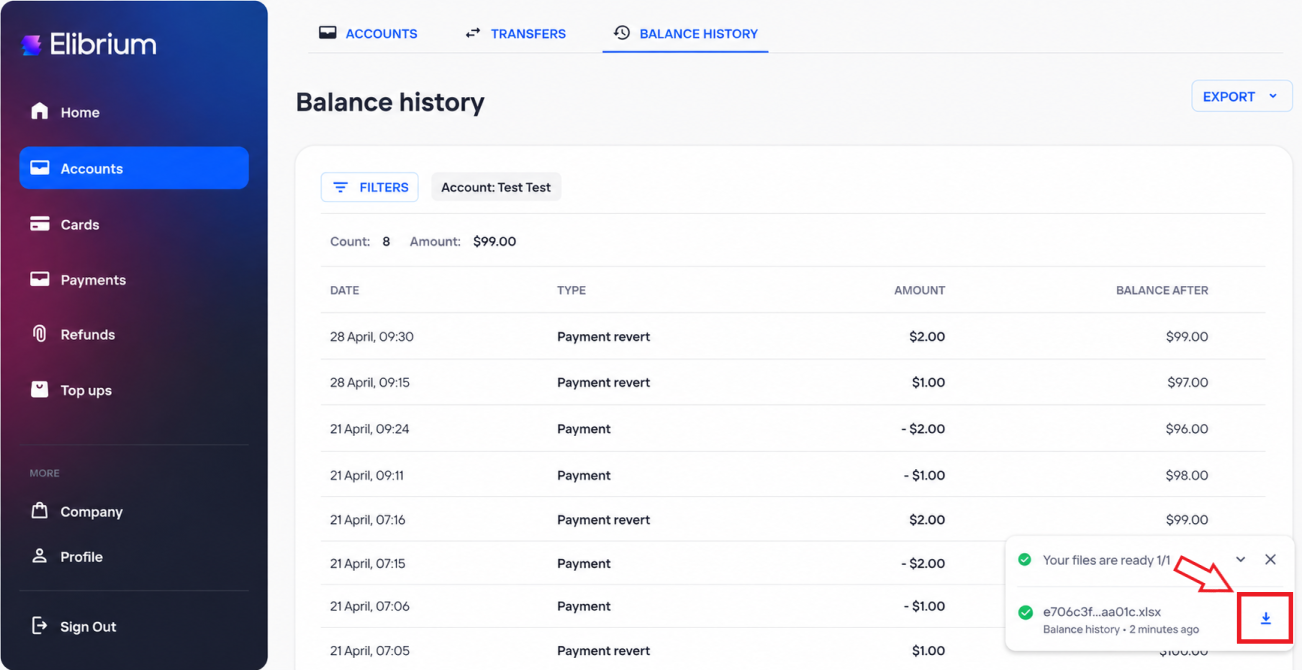
Wait until the export file is prepared.
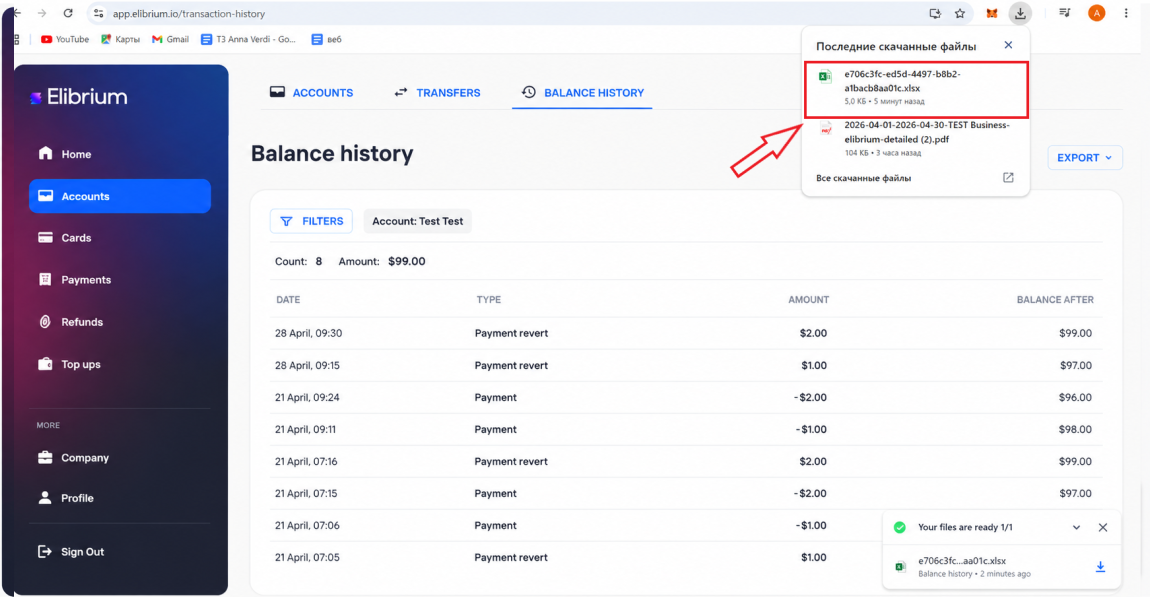
Click the download button in the export notification window.
Click the downloaded file in the browser downloads window to open it.
The export includes account transaction history, such as:
top ups;
transfers;
payments;
balance adjustments;
other account operations.
Exporting transfers
Open the Accounts section.
Go to the Transfers tab.
Apply filters if needed:
date;
source account;
destination account;
amount;
transfer status.
Click Export.
Select:
Excel;
or CSV.
Wait until the export file is prepared.
Click the download button in the export notification window.
Click the downloaded file in the browser downloads window to open it.
The export includes internal transfers between company accounts.