How to configure spending policy
Learn how to create, configure, and assign spending policies to cards
Click Create spending policy.
Enter:
policy name;
description (optional).
Click Save.
Configure policy rules
In the spending policies list, open the created policy.
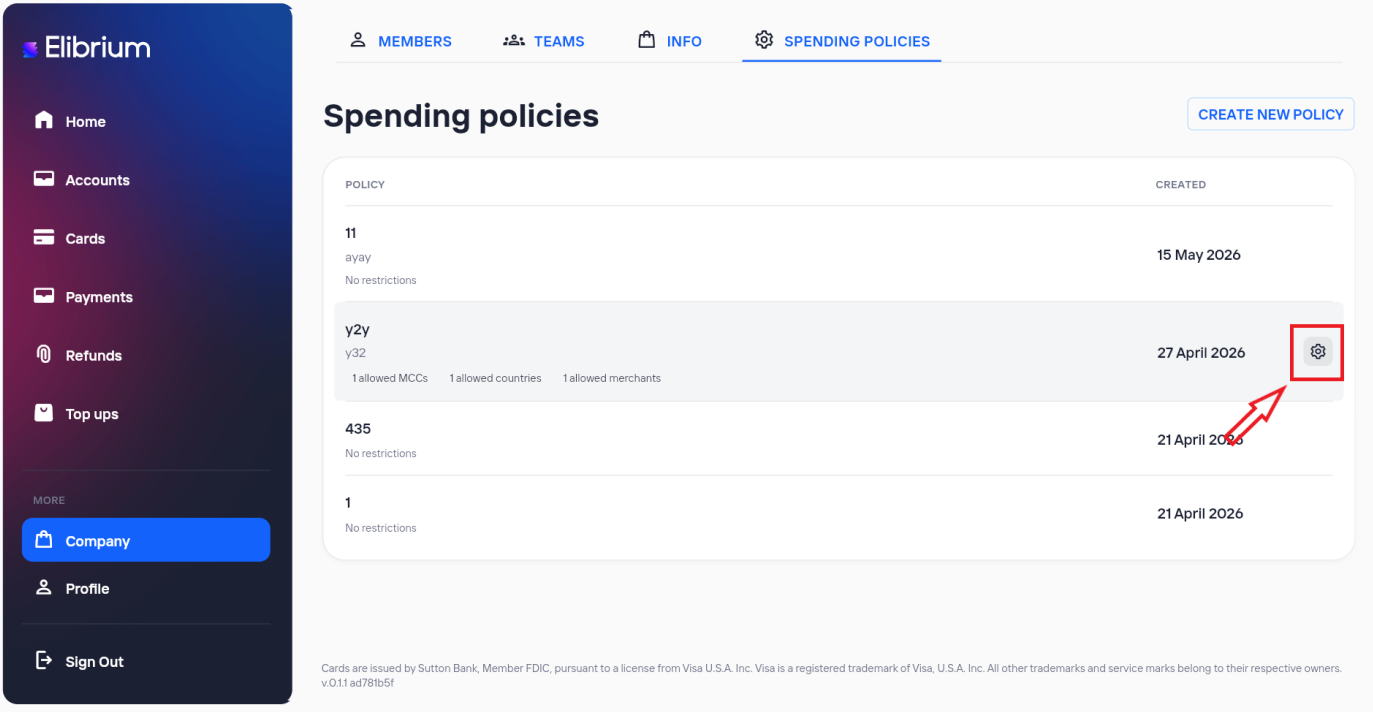
Configure rules:
MCC (Allow / Block);
Merchants (Allow / Block);
Countries (Allow / Block).
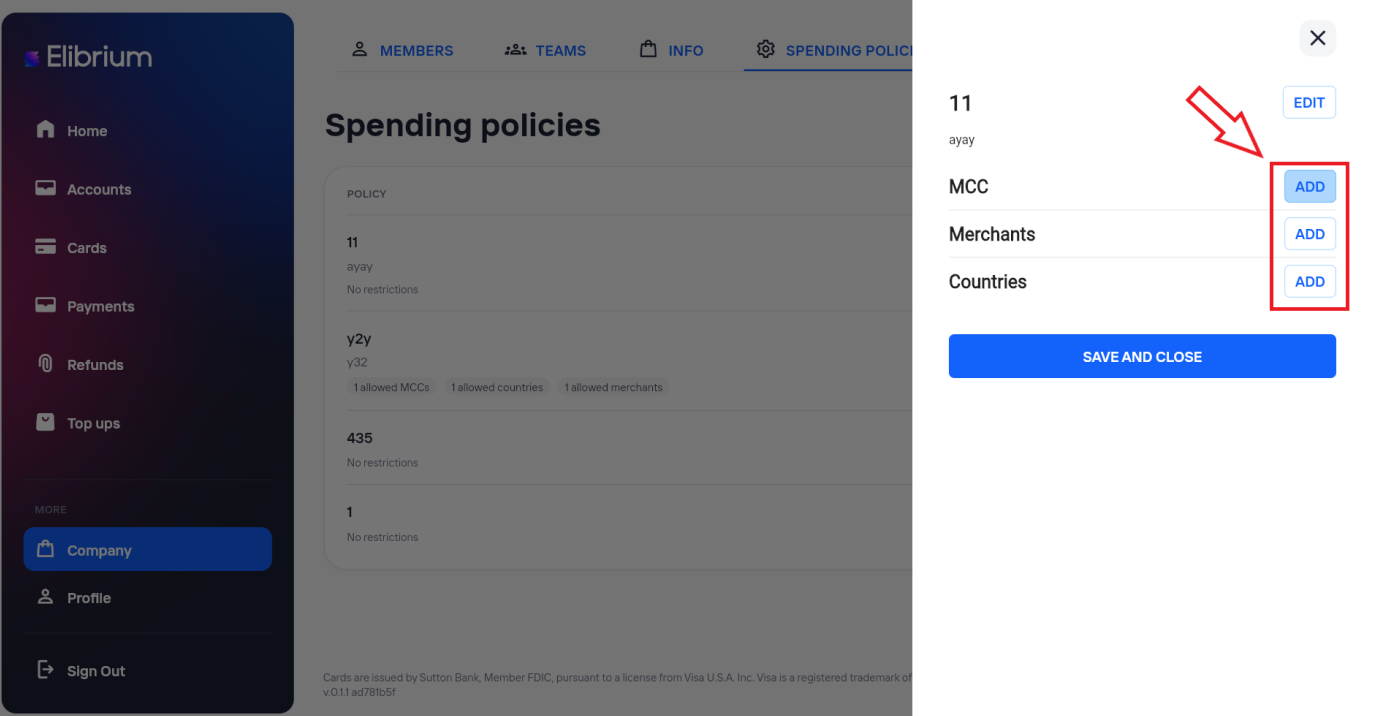
Click Save and close.
Assign a spending policy to a card
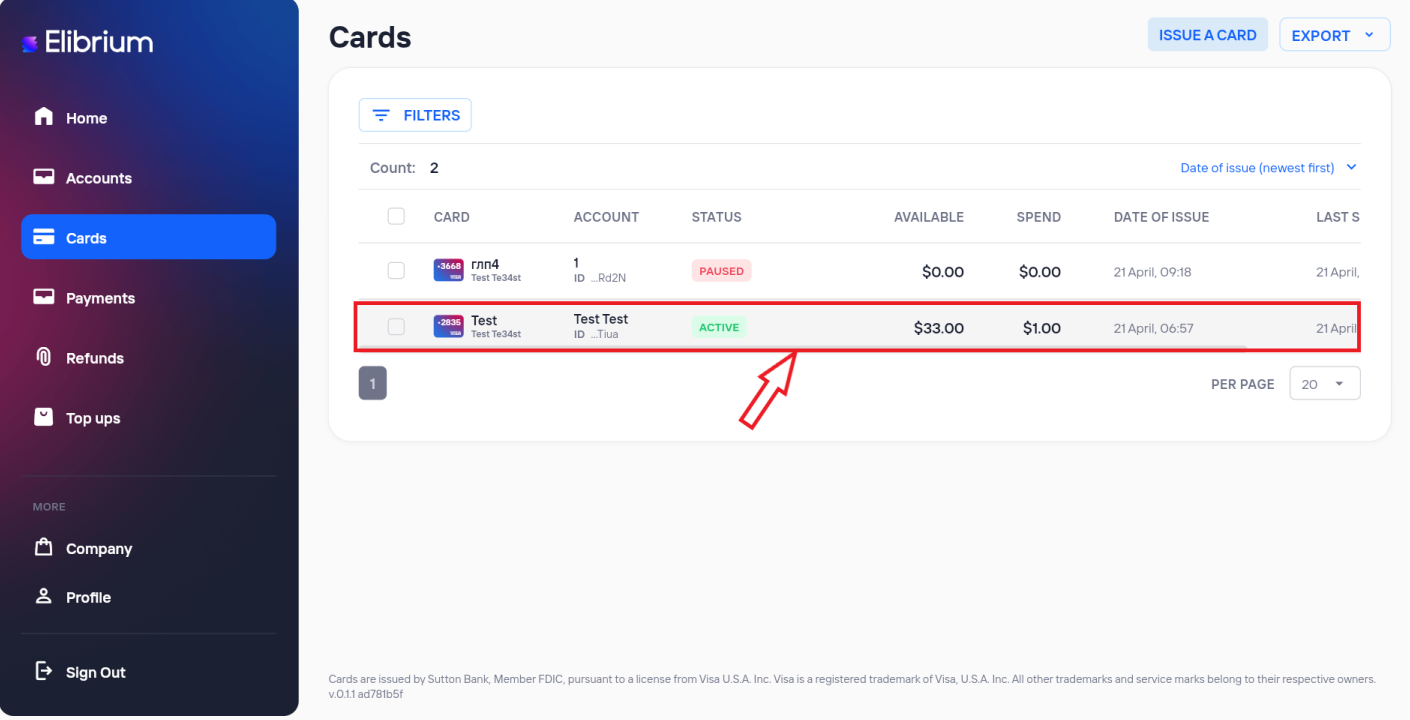
Open the Cards section.
Open the required card details.
In Spending policy, click Set.
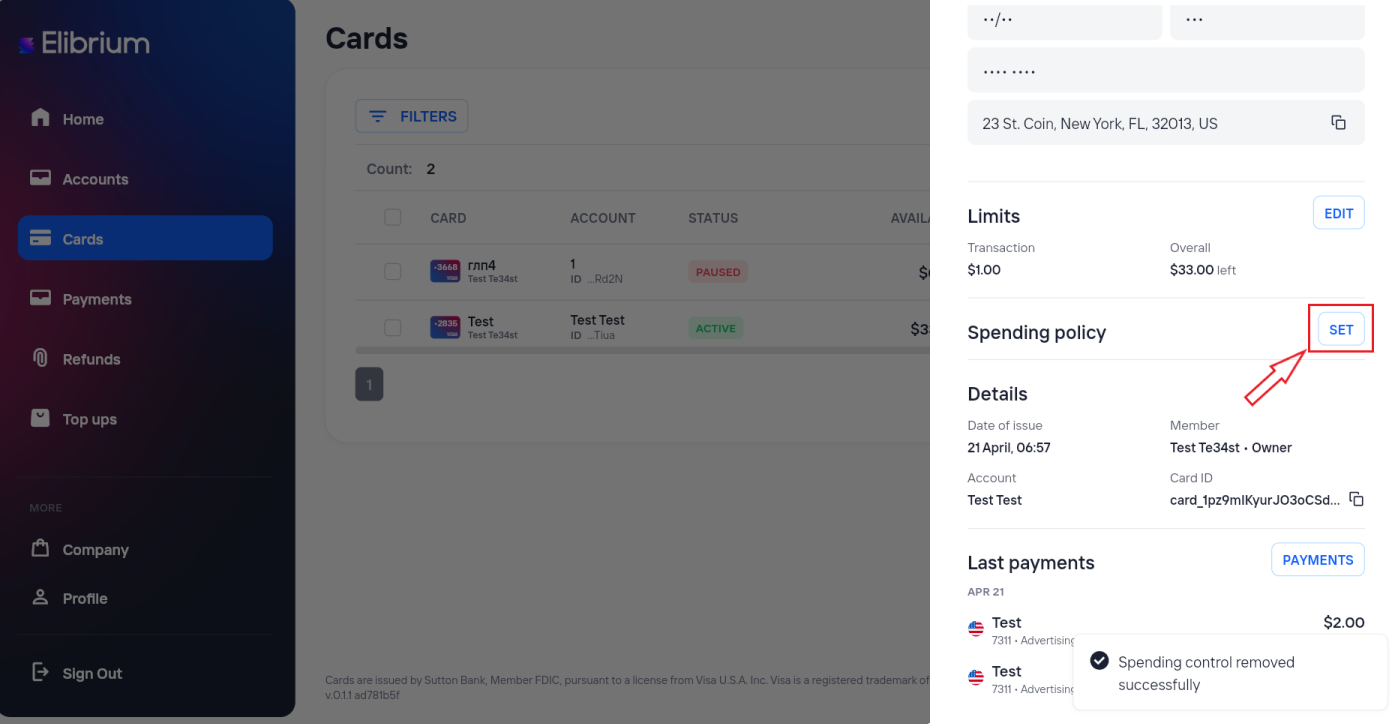
Select the required policy.
Click Save.