Bulk actions on cards
Learn how to select multiple cards and perform bulk updates, spending policy changes, or credential exports in Elibrium
Bulk actions are available in the Cards section.
Available bulk actions
Depending on your permissions, available actions may include:
changing card status;
updating spending limits;
assigning spending policies;
exporting card credentials.
Select cards
Open Cards.
Select one or more cards using checkboxes.
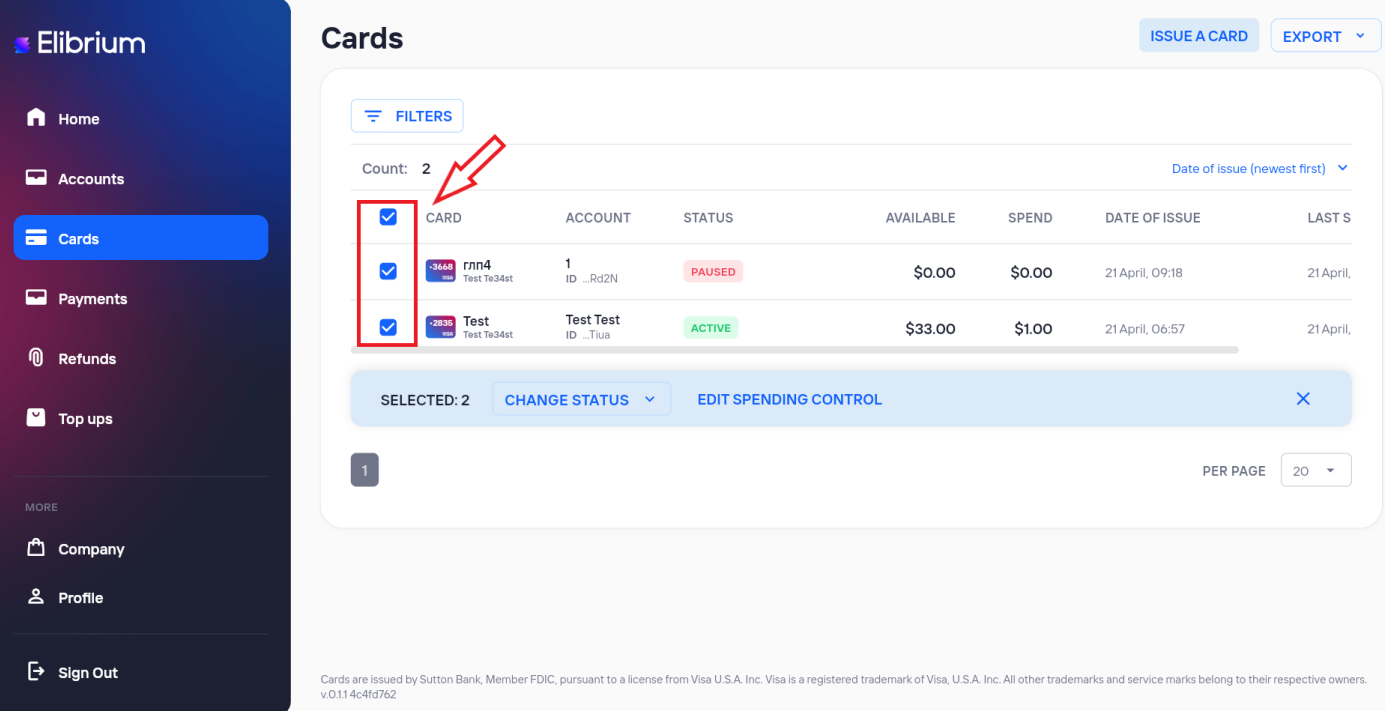
The Bulk actions panel appears after card selection.
Selected cards remain active until filters or page settings are changed.
Change card status
Available bulk statuses:
Activate;
Pause;
Block.
Not all cards may support every status change depending on provider or processing rules.
Edit spending limits and spending policies
Click EDIT SPENDING CONTROL
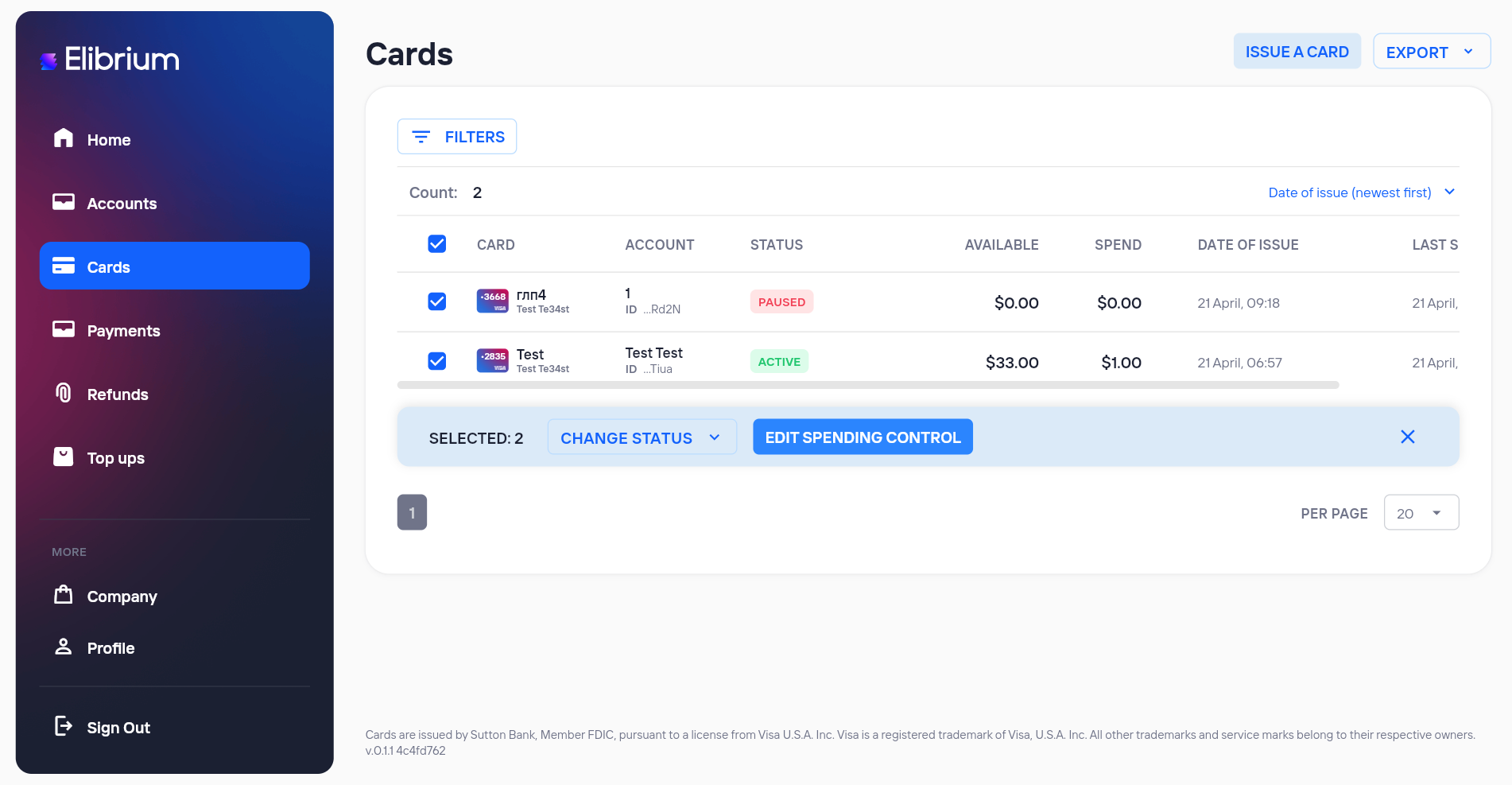
Bulk editing may include:
overall limits;
per-transaction limits;
daily limits;
weekly limits;
monthly limits;
spending policy assignment.
Only one spending policy can be assigned to a card at the same time.
Issue multiple cards
The card issue form supports bulk card creation.
You can create:
from 1 to 20 cards at the same time.
Created cards use the same:
account;
user;
card BIN;
spending limits;
spending policy.
Important note
bulk actions availability depends on your permissions;
maximum number of cards in one bulk update operation is 100;
some bulk actions may be unavailable depending on your company configuration.