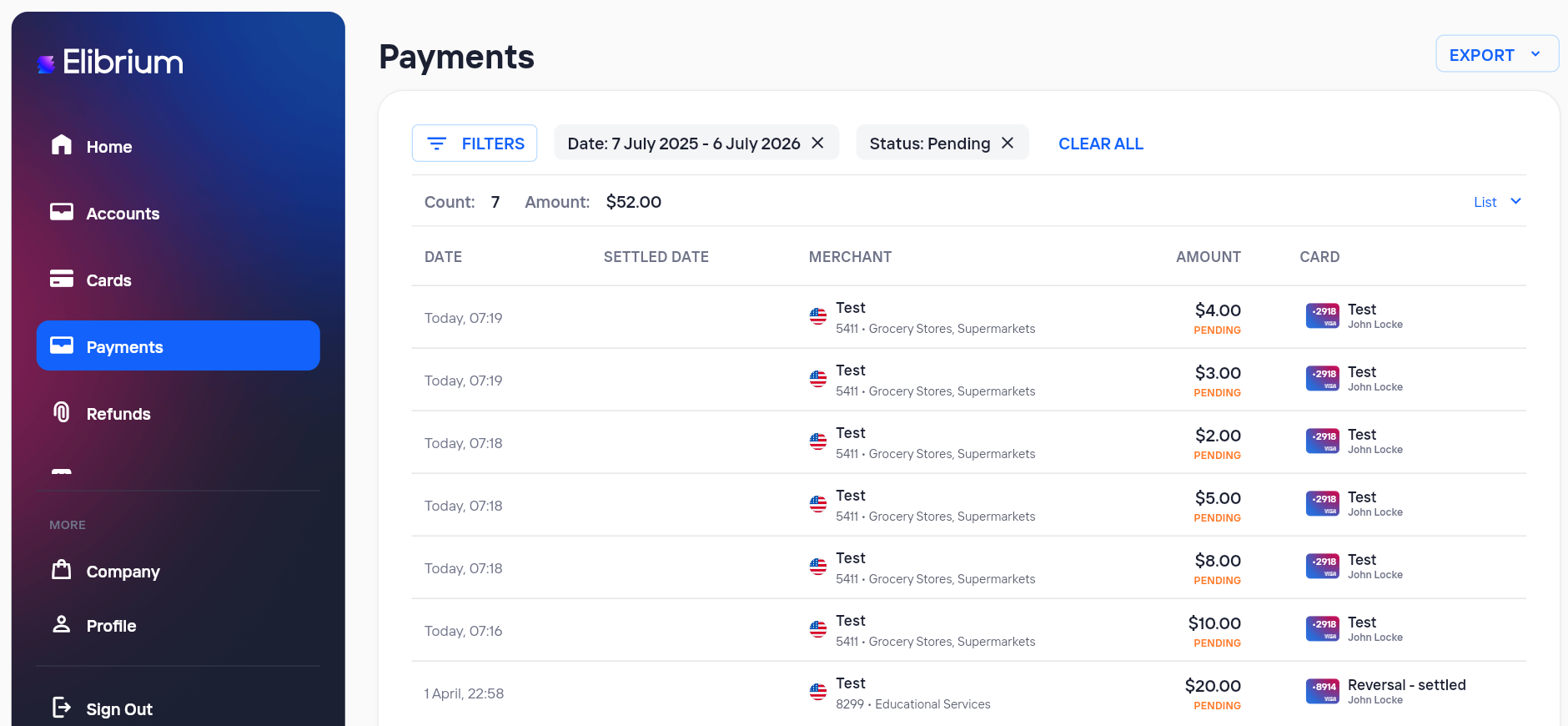
How can I view all Pending payments?
Learn how to find payments that are currently in the Pending status
To view all payments that are currently being processed:
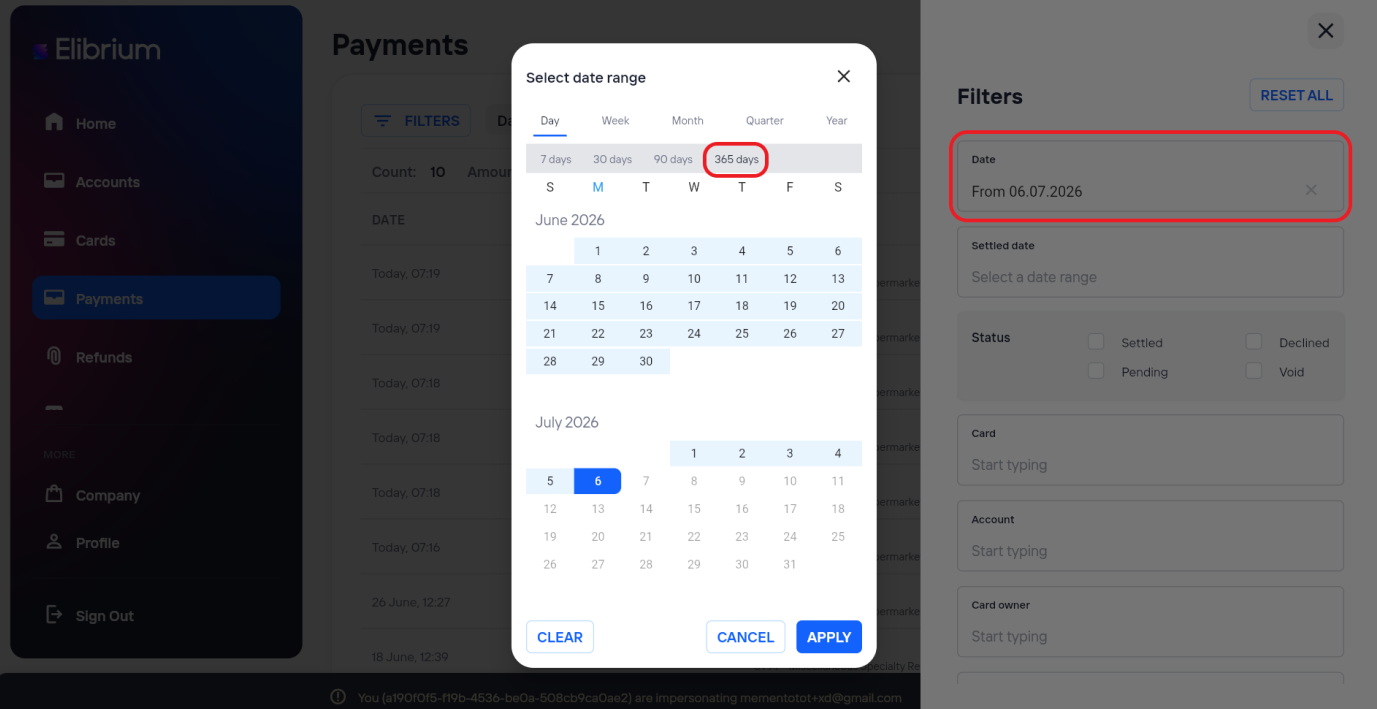
Open Payments.
Select 365 days as the date range and click “Apply”.
In the Status filter, select Pending.
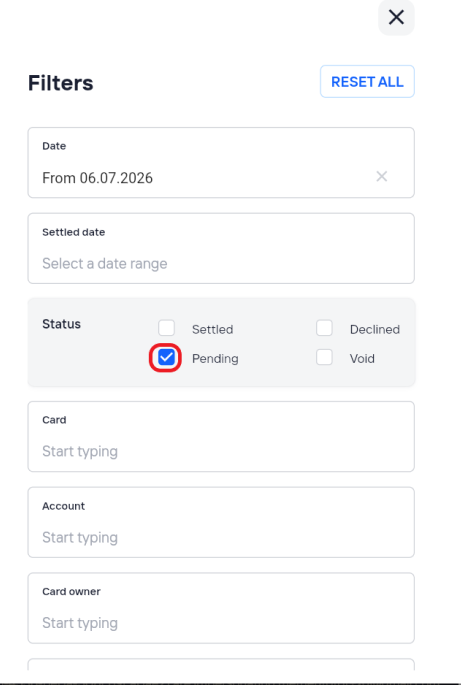
Click Apply to update the results.