How do I attach a receipt to a payment?
Learn how to attach, download, and remove receipts for completed payments
Open Payments.
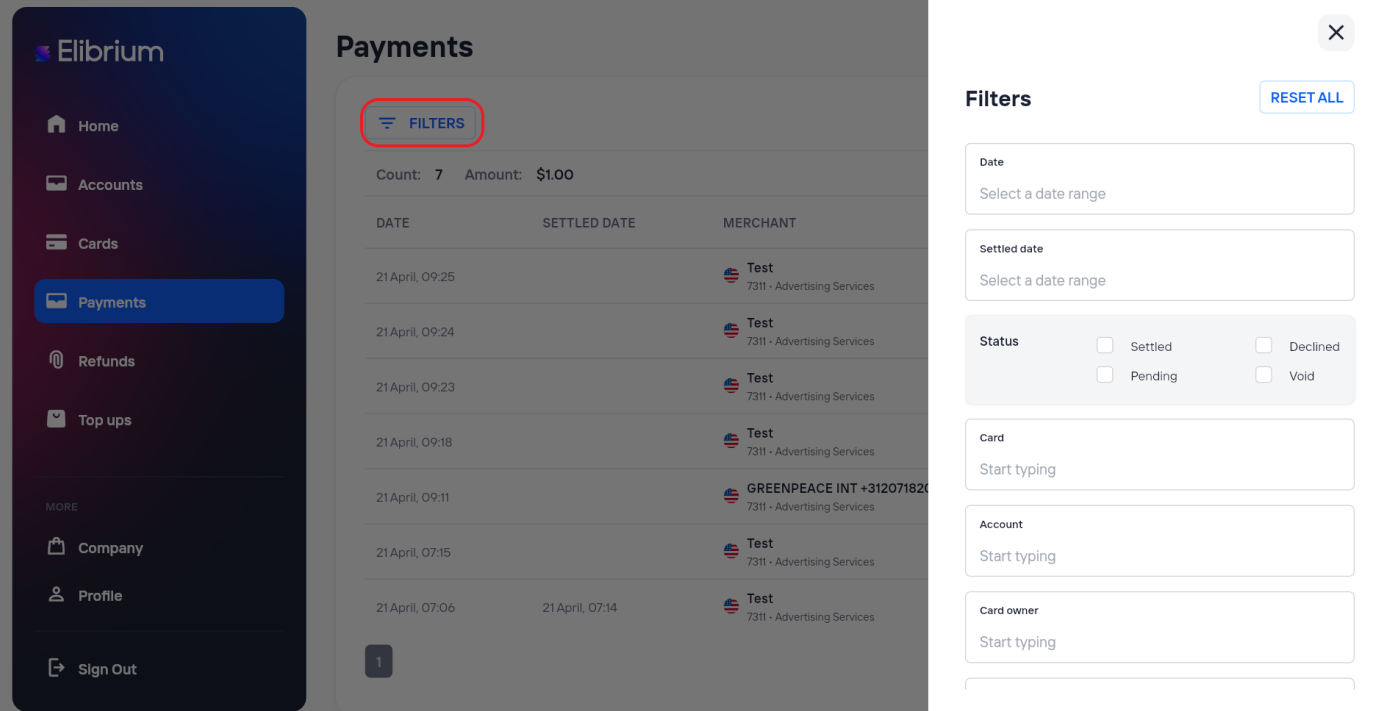
Use the available filters to find the required payment.
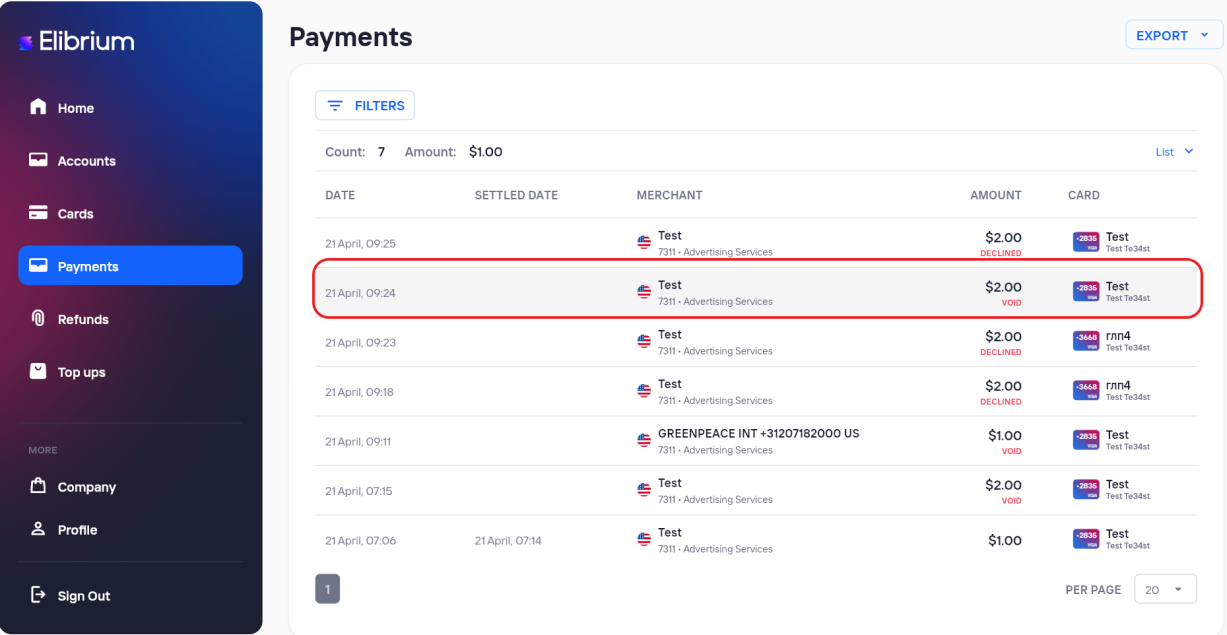
Open the payment details.
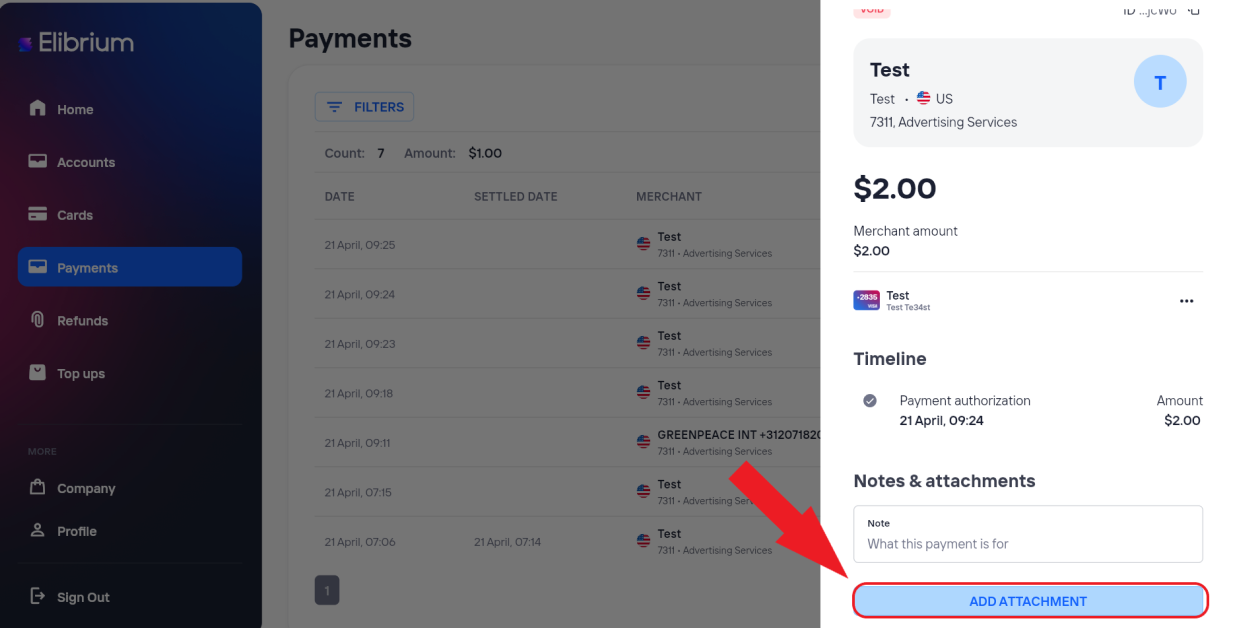
Click Add Attachment.
Select the file.
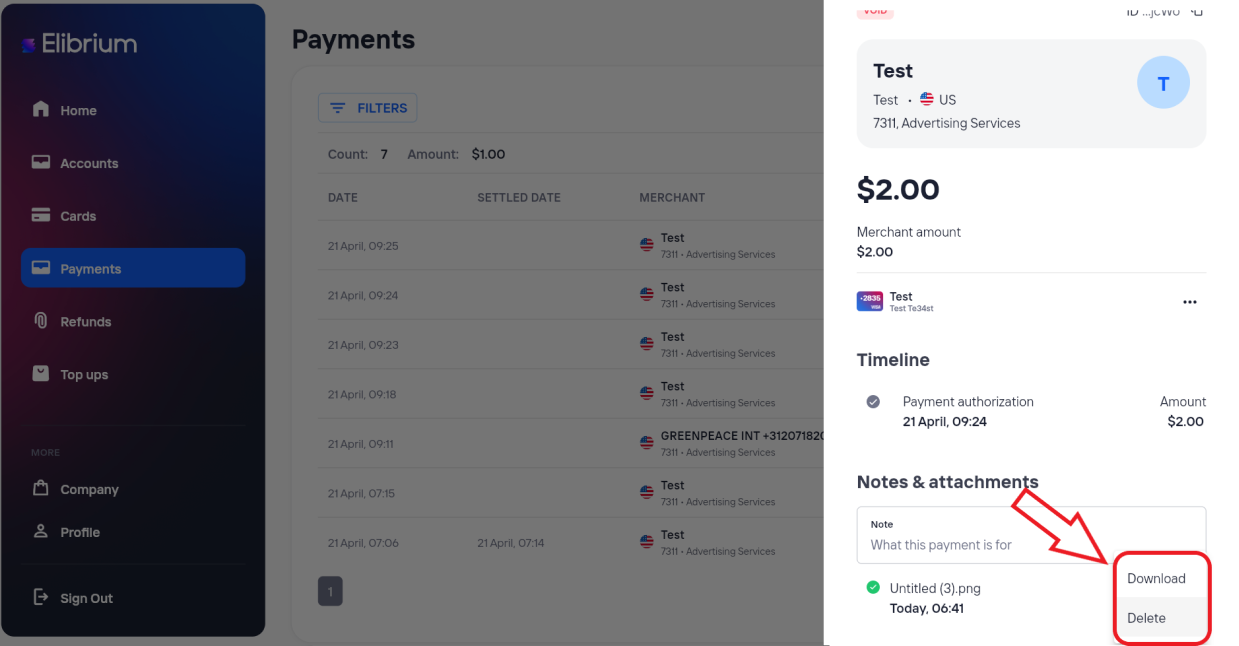
The receipt becomes available for download.
Delete it if necessary.
Supported file formats
You can upload files in the following formats:
JPG
JPEG
PNG
PDF
Limitations
Maximum file size: 10 MB
Maximum 3 receipts per payment
The same file cannot be attached to the same payment more than once
Important notes
Receipts can only be attached to payments.
Receipts are available to users who have access to the selected payment.
You can delete receipts that you uploaded. Additional permissions may be required to delete receipts uploaded by other users.